
When an image generator returns muddy colors or an awkward composition, the issue usually isn’t ChatGPT or Gemini.
It’s missing parameters.
If you leave the visual details open, the model simply fills in the blanks with generic defaults.
Writing effective AI illustration prompts isn’t about adding long paragraphs or buzzwords; it’s about giving the model clear constraints for style, lighting, and framing upfront.
Below is a straightforward breakdown of what to include in your prompts to get clean, consistent artwork, along with tested examples you can copy and adapt.
Why Most Prompts Fail (Even Good Ones)
Most weak prompts aren’t wrong. They are simply incomplete.
Entering “a cute robot” gives the model almost no direction.
Is it 3D or flat? Stylized or realistic? What is the lighting and background?
The AI fills in every gap you leave with its own default guess. And its defaults are rarely the ones you’d pick.
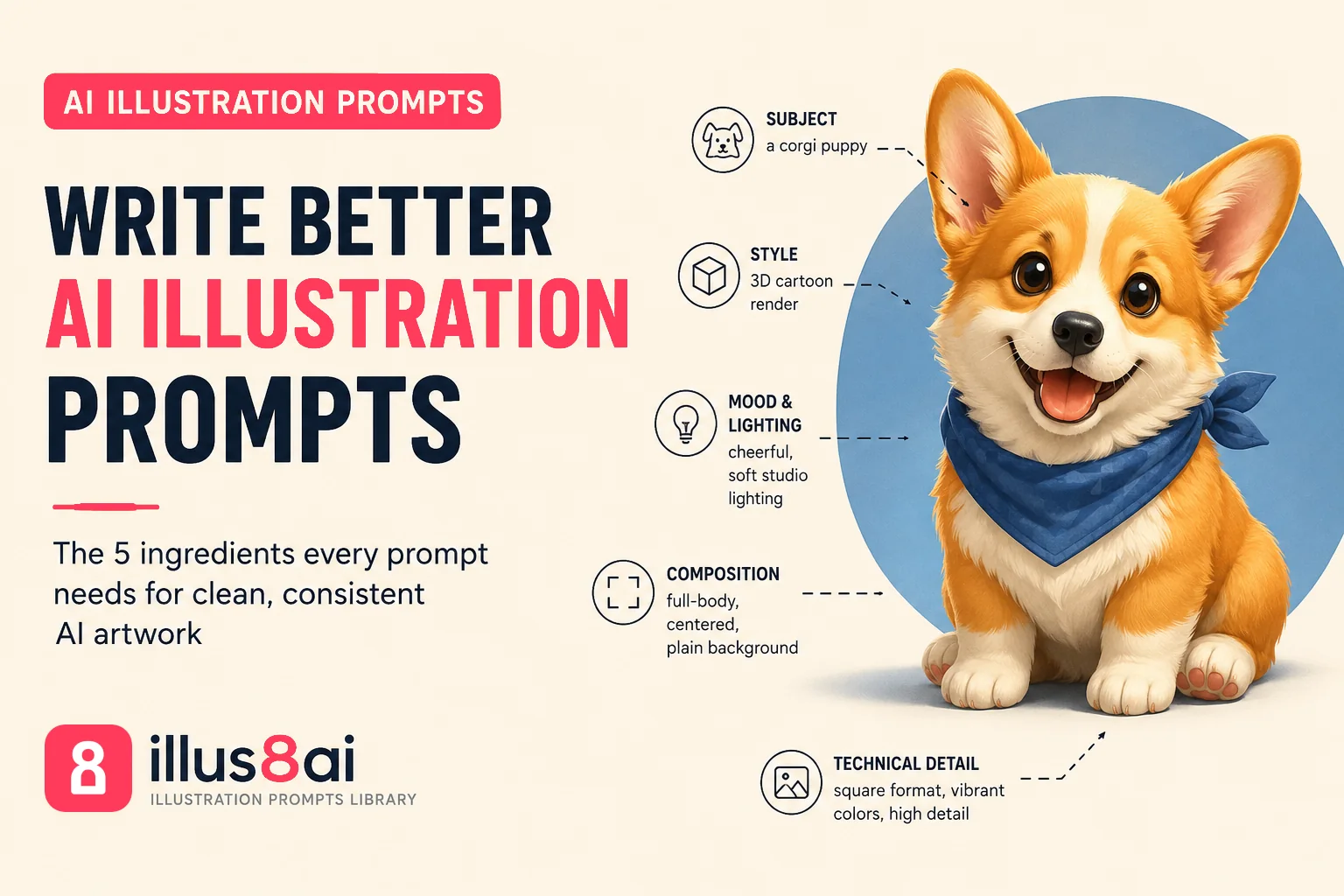
So the fix isn’t writing longer prompts for the sake of length. It’s making sure five core parameters are defined.
The 5 Key Ingredients of Strong AI Illustration Prompts
A strong illustration prompt almost always covers these:
- Subject: what’s actually in the frame, described specifically (“a corgi puppy” beats “a dog”)
- Style: the visual language: 3D render, flat vector, line art, watercolor, cyberpunk poster
- Mood and lighting: soft studio light, moody neon glow, warm golden hour
- Composition: close-up portrait, full-body, isometric angle, centered on a plain background
- Technical detail: aspect ratio, color palette, or platform-specific parameters like Midjourney’s
--arand--vflags
Miss two or three of these, and you’re basically asking the AI to guess your taste. It usually guesses wrong.
A Real Example, Before and After
Weak prompt: “A teddy bear.”
Strong prompt: “A photorealistic plush teddy bear, cream-white fur, satin ribbon around its neck, soft studio lighting, gray seamless backdrop, centered composition, shallow depth of field.”
Same subject. Wildly different result. The second version doesn’t leave room for the AI to improvise the parts you actually care about.
Universal Prompts vs Tool-Specific Prompts
One thing that trips people up early: a prompt written for Midjourney doesn’t always translate cleanly to ChatGPT or Gemini, and vice versa. Midjourney expects its own shorthand (aspect ratios, style flags, version numbers). ChatGPT and Gemini work better with plain, natural language.
That’s why on our own prompt library, every entry ships as two versions: a Universal prompt for ChatGPT and Gemini, and a Midjourney-formatted version with the parameters already built in. You’re not stuck translating syntax by hand, you just copy whichever one matches your tool.
Common Mistakes Beginners Make
A few patterns show up again and again:
- Being vague about style. “Nice illustration” means nothing to a model. Name the actual style: flat vector, 3D clay render, cyberpunk line art.
- Skipping lighting entirely. Lighting does more visual heavy lifting than people expect. Try adding it before anything else if your results feel flat.
- Writing one giant run-on sentence. Short, comma-separated descriptors usually outperform a single sprawling sentence. The model parses them more cleanly.
- Expecting an exact match every time. AI tools introduce randomness by design. A great prompt gives you a consistent style and a strong result, not an identical image every run.
Quick Reference: What to Do Next
- Pick one subject and rewrite it using all five ingredients above
- Test the same prompt in two different tools and compare results
- Keep a short running list of style words that consistently work for you
- Browse our Collections for tested prompts organized by style, from Character Design to Cyberpunk & Sci-Fi
If you want a deeper technical reference, Midjourney’s own documentation is worth a look for anyone getting serious about parameters: docs.midjourney.com.
Final Takeaway
Getting clean, intentional artwork from an image model rarely requires complicated prompt engineering. As long as you explicitly define the subject, style, lighting, composition, and technical parameters, you eliminate the guesswork.
You can explore our full prompt library and copy a tested prompt to see these ingredients in action.